The Witch of Blackbird Pond
by Elizabeth George Speare
This book is a classic children's novel, and for good reason. The author was a student of history and she carefully weaves a believable web of historical authenticity. The main character Kitty is a young woman who grew up with relative freedom and wealth on a Caribbean island. Circumstances leave her without money or relatives, save for an aunt and uncle she has in the Puritan colony of Connecticut. The novel follows her first year in the colony and her adaptation to her new environment. There is intrigue and romance and plenty of action, but also a lot of interior reflection which I did not find the least bit boring. The "witch" refers to an old Quaker woman who everyone thought of as a witch, but in whom Kitty finds a true and fast friend. Kitty is not only a likable protagonist, but also someone who grows in maturity and concern for others. This book is available in our juvenile fiction section.
Marian

Enhancing our mission to promote lifelong learning.
Wednesday, September 16, 2015

Some Quick Computer Commands

Just a simple guide
for some quick commands.
Generic Hot Keys
Quick Printing: “Ctrl”
+ “P”
Copy: “Ctrl” + “C”
Cut: “Ctrl” + “X”
Paste: “Ctrl” + “V”
Undo: “Ctrl” + “Z”
Open: “Ctrl” + “O”
Select All: “Ctrl” +
“A”
System Menu: “Alt” + “Ctrl”
Move Forwards One Item: “Tab”
Move Backwards One Item: “Shift” + “Tab”
Hold “Shift” + “Right”
or “Left” arrows to highlight one character or more in either specified direction.
Hold “Shift” + “Up”
or “Down” arrows to highlight entire rows in either specified direction.
Hold “Ctrl” + “Right”
or “Left” arrows to move quickly between words.
Hold “Ctrl” + “Up” or
“Down” arrows to move to the beginning of the last or next paragraph.
Hold “Ctrl” to be
able to highlight many individual things at once.
Hitting the “SPACE
BAR” on any internet page is a quick way to scroll down without having to
navigate with the mouse.
Chrome Hot Keys
New Window: “Ctrl” +
“N”
Reload Page: “F5”
 View History: “Ctrl” +
“H”
View History: “Ctrl” +
“H”
View Downloads: “Ctrl”
+ “J”
Stop Page Loading: “Esc”
Find In Page Search Box:
“Ctrl” + “F”
Make Text Larger: “Ctrl”
+ “+”
Make Text Smaller “Ctrl”
+ “-“
Fire in Martinsburg on September 16, 1912--Read all about it!

This Month in Local History, September 16, 1912
On September 16, 1912, Martinsburg publication “The Evening
Journal” reported on the destruction of a local industry that occurred on the
previous day. West Virginia experienced
the loss of the Stewart Vehicle Plant which is cited as one of the largest
vehicle industries in this part of the country at that time. The blaze destroyed hundreds of vehicles
along with industrial materials that were stored in the facilities. Firefighting tactics were described in their
valiant attempts to contain the blaze, and the fire was reported to be visible
from Hagerstown and surrounding areas.
This historic news story and many others can be accessed
from the extensive local historic publications maintained at the Martinsburg
Public Library. This headline appears in
the Martinsburg publication “The Evening Journal”, which began publication in
1907. The Microfilm Collection includes
newspapers of Berkeley, Jefferson, and Morgan Counties in West Virginia from
1791 to present. Copies may be printed from a microfilm reader at the cost of
10 cents per copy or page images may be transferred onto your own USB drive at
no cost.
Saturday, August 22, 2015
Medical Dictionaries
Medical Dictionaries
Medical terminology can be hard enough for medical
students to learn, let alone anyone else. Say your doctor has told you that you
should begin taking a particular drug. You want to know more information about
what the drug is for, how to take it, and whether there are any side effects
that you should know about. Maybe you weren't expecting to need a new
medication, and you forget to ask your doctor some of the questions you have.
When you call his office, he's unavailable. Is there a way to find out what you
need to know?
"The Physician's Desk Reference" is one
resource that we keep to help with questions like this. It is kept behind the
reference desk so that the librarian there can pull it out quickly for people
who have questions about prescription medicines. Maybe you are curious about
Eliquis which you are supposed to begin taking to prevent you from having a
stroke. You come to the library, ask for "The Physician's Desk
Reference," and look up your new medication. You glance over the
recommended dosage, and you read the side effects. One is "bleeding,"
which seems straightforward. But the first side effect is "Increased risk
of thrombotic events after premature discontinuation." You stop and
stare--and stare some more.
What should your first step be? You can look up medical
terms on the internet, of course, but having an authoritative source of
information is important--this medicine is going down your throat, after all.
If you want a source that you know you can trust, your safest bet might be a
medical dictionary.
 Medical dictionaries only include words that are related
to medical and health topics. Many medical dictionaries include illustrations
to help you understand what a condition (warts, anyone?) looks like. They
include common medical terms like "arthritis," offering specific
definitions of different varieties of the condition. And then there are the extremely
unfamiliar terms. "Under "A," you can find words like
"apraxia," "arcus senilis," and "avulsion." Under
"Z," you can find "zeolite," "zonulitis,"
Medical dictionaries only include words that are related
to medical and health topics. Many medical dictionaries include illustrations
to help you understand what a condition (warts, anyone?) looks like. They
include common medical terms like "arthritis," offering specific
definitions of different varieties of the condition. And then there are the extremely
unfamiliar terms. "Under "A," you can find words like
"apraxia," "arcus senilis," and "avulsion." Under
"Z," you can find "zeolite," "zonulitis,"
and "zygoma."

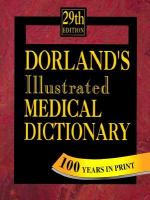
Some of our medical dictionaries are available in the
reference section, but others can be checked out. For a reference book with
some good illustrations, try "Dorland's Illustrated Medical
Dictionary." Or, if you would like to take a medical dictionary home, a
copy of "Taber's Cyclopedic Medical Dictionary" is available for checkout
in out nonfiction section.
Tuesday, August 18, 2015
Baseball--100 years at Martinsburg High School
Baseball--100 years at Martinsburg High School

This year marked the 100th anniversary of
baseball at the Martinsburg High School.
An exhibit of items related to the commemoration of that accomplishment
will be on display in one of the front foyer cases at the Martinsburg Public
Library during the month of August.

Martinsburg High School formed their first baseball team in
1915 so to document the 100 years, there is a special commemorative edition
booklet that was created and includes all available Bulldog baseball team
photos throughout the years as well as the Alumni game participants. Pre-sales are being taken by Larry and Anita
Cooper at a cost of $5.00 and checks are to be made payable to MHS Baseball
Boosters. A pre-order list (but no
payments) is also being taken at the Martinsburg-Berkeley County Public Library
through the end of September 2015. Those persons will be contacted by the
Coopers to obtain their copy of the book. Mini-helmets and commemorative baseballs like
those in the display case are also available from the anniversary committee.

 Please stop to look at this interesting exhibit which
celebrates one of America’s favorite sports and baseball at Martinsburg High
School in particular!!
Please stop to look at this interesting exhibit which
celebrates one of America’s favorite sports and baseball at Martinsburg High
School in particular!!
submitted by Keith Hammersla
Subscribe to:
Posts (Atom)